How the smartZebra platform works

2
min read
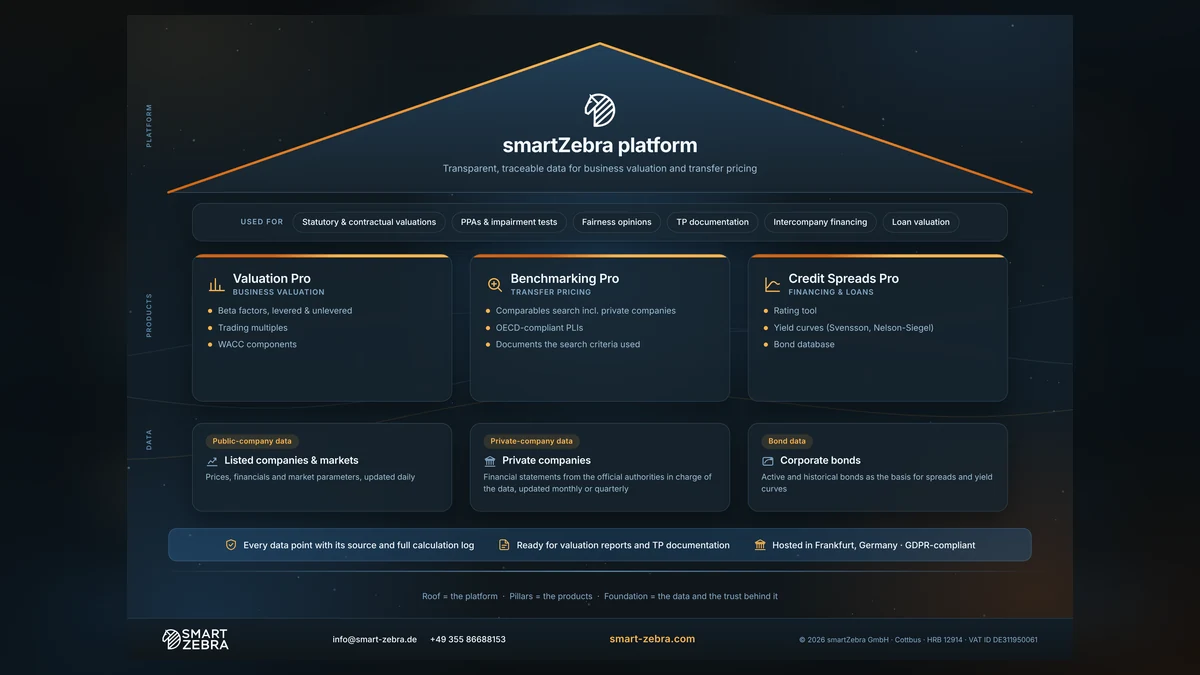
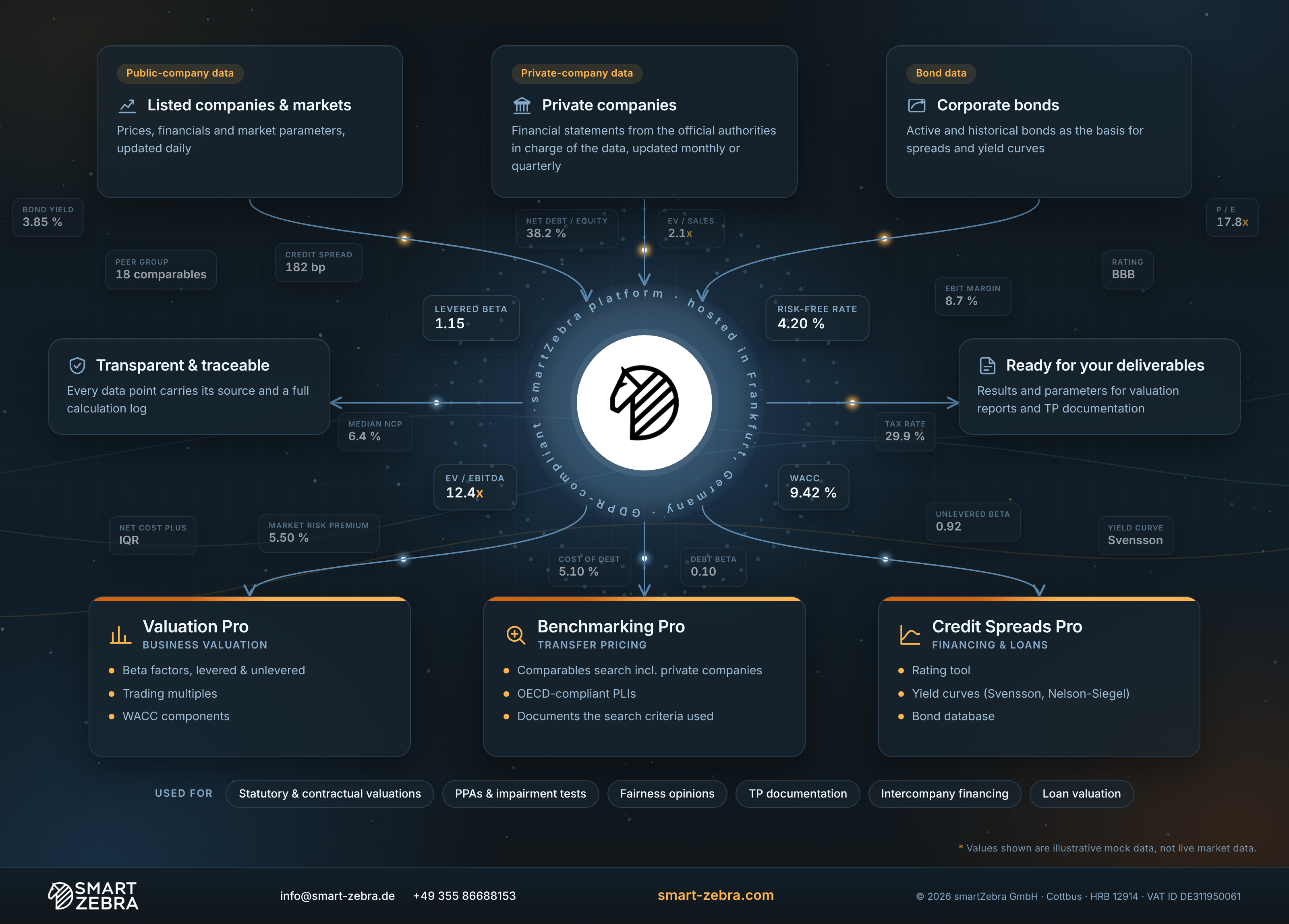
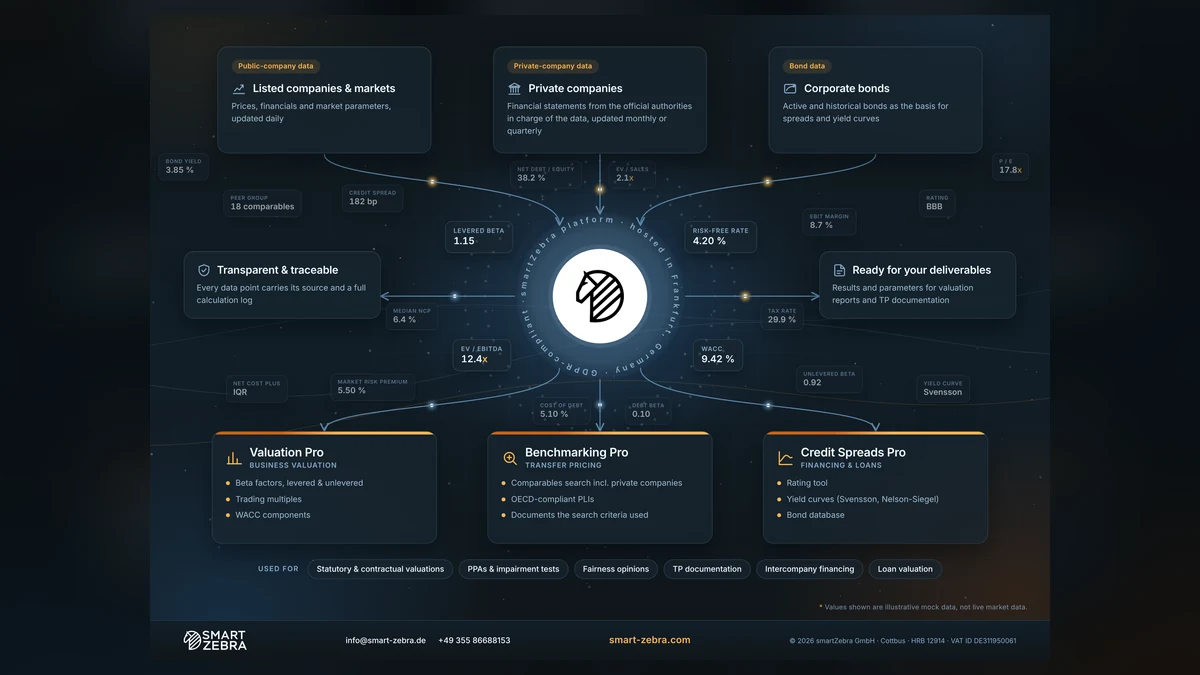
Three data sources, one platform, three products: see how public-company, private-company and bond data flow into Valuation Pro, Benchmarking Pro and Credit Spreads Pro — and what you get out for your valuation reports and TP documentation.
  1. Where the data comes from: public companies and markets, private companies, corporate bonds.
  2. Which product uses it: Valuation Pro, Benchmarking Pro, Credit Spreads Pro.
  3. What you get out: every data point with its source and full calculation log.
  4. Typical use cases: valuations, PPAs and impairment tests, TP documentation, intercompany financing.

Values shown in the infographic are illustrative mock data, not live market data.

Take the full picture

Start your free 5-day trial and get the high-res file right away.

↓ Download (PNG)↓ Download (PDF)

Questions & Answers

What does this infographic show?

How public-company, private-company and bond data flow through the smartZebra platform into Valuation Pro, Benchmarking Pro and Credit Spreads Pro, and what you get out for your reports.

Where does smartZebra's data come from?

From reliable, trusted sources: listed companies and markets, private-company financial statements from the official authorities in charge of the data, and corporate bonds.

Which product do I need?

Valuation Pro for business valuation (beta factors, multiples, WACC), Benchmarking Pro for transfer pricing comparables, and Credit Spreads Pro for financing and loans.

Can I trace every number?

Yes. Every data point comes with its source and a full calculation log.

Where is the data hosted?

In Frankfurt, Germany, GDPR-compliant.

Can I download the infographic?

Yes. Click "Download the infographic" at the top of this page.

Try the Full Platform
Free for 5 Days.

Valuation Pro, Benchmarking Pro and Credit Spreads Pro: betas and WACC inputs, arm’s-length comparables and credit spreads, every figure with its source.

Full platform access
No hidden fees
No credit card required